System Log
The System Log is used to log and display errors that occur while the
application is running, as well as messages sent by modules. You can
open the System Log Panel by clicking the small bell icon in the
lower-right corner of the
System User Interface
(it runs and logs in
the background otherwise). The System Log can display up to 100 messages
(this number is also visible on the small bell icon in the System User
Interface), but every single message is continuously saved to the Public Documents\[Project Name]\Errors folder. When the log file reaches 100 MB,
it deletes half of the older error messages. Any object belonging to a
Module class can send three different types of messages to the System Log.
(Module -> Module Methods -> System Notifications)
Log Silent Event.vi: It sends a message to the System Log that does not increment the counter displayed in the System User Interface
Send Standard Notification.vi: It sends a message to the System Log that increments the counter in the System User Interface
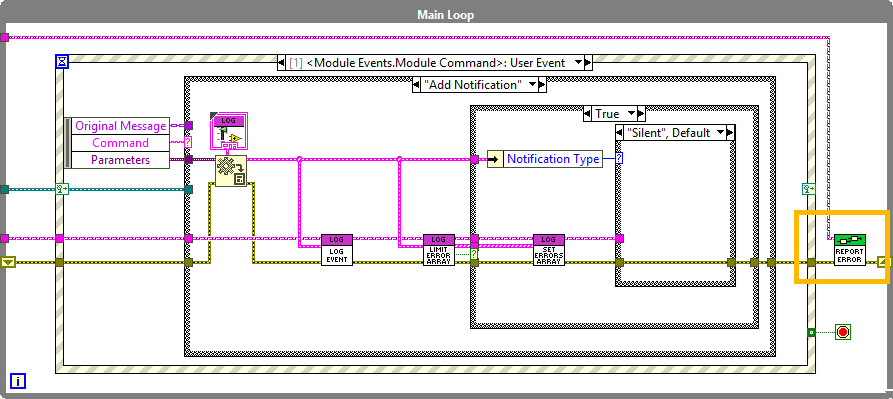
Show Pop-up.vi: It sends a message to the System Log that increments the counter in the System User Interface and also displays its panel.In addition, there is a way to send errors that occur while the program is
running (via the System Core) as “Standard Notifications.” To do this, you
need to call the Report Error to Core.vi, typically after the While loop event
structure in the Actor Core.
The messages saved by the System Log
(Public Documents\[Project Name]\Errors\[Project Name] Error_Log.txt)
are time-stamped, with the most recent messages appearing at the bottom of
the file.