Privilege Management
The framework allows you to define various privilege tags, which can be assigned to permission levels. This enables dynamic management of privileges across projects to accommodate different user behaviors.
Defining a privilege member
Module privileges can be added using the
Define Module Privileges.vi module override. Example:
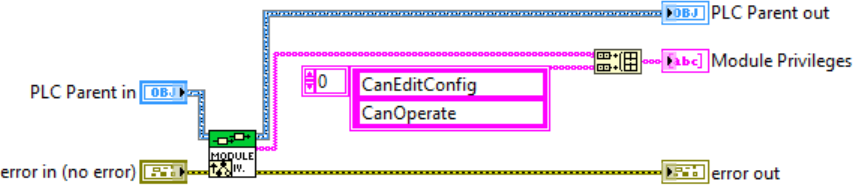
This creates the two privilege entries shown in the image for the calling module instance.
Processing Privilege Tags
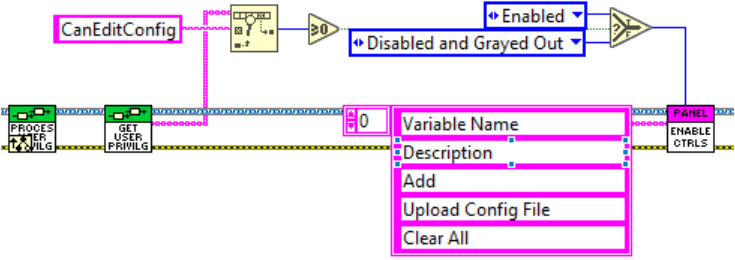
The privileges of the active user are updated via RM Broadcast,
and it is recommended to process them in the Process User Privileges.vi.
The Get Current User Privileges (This Module).vi returns the privilege
tags assigned to the logged-in user for a given module instance:
Editing User Privileges
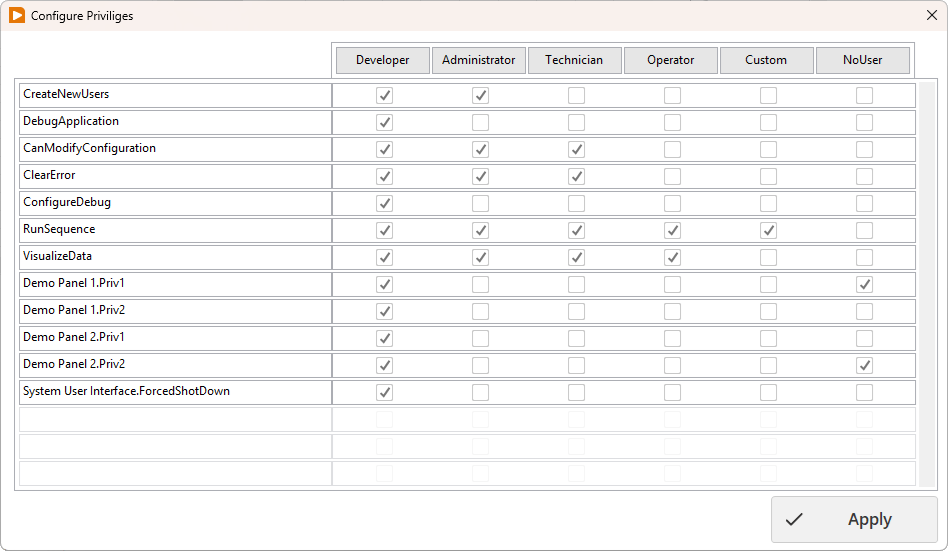
 Show Privilege Editor: Users with Developer privileges can edit privileges by clicking this System Toolbar icon
Here, you can assign the privilege tags available for a given project to user levels. Tags assigned to a module appear in the format module_name.tag. The Developer level must have all permissions; this cannot be modified, and new tags are created with Developer-only permissions. The settings are stored in User Data.db, which is saved alongside the project (resources/users/) when run from the development environment, and in the Public Documents\Project Name\ folder after compilation.