Skip to Content
Framework StructureResource Manager

Resource Manager

The Resource Manager is responsible for data sharing between modules and for persisting selected variables (such as a measurement device’s IP address) to two local databases.

Structure

At the core of the Resource Manager is a Resource Table that links the Module Tables of individual modules through subscriptions to specific Groups, Sections, and Keys.

Resource Table Hierarchy

The table follows a three-level structure where each level can have its own subscribers and metadata:

Group LEVEL 1
Top-level container holding multiple sections. Modules can subscribe to receive updates from every section within
Section LEVEL 2
Typically a single module’s namespace. Subscribing here delivers updates for every key in the section
Key LEVEL 3
An individual variable. Includes its value, timestamp, subscriber list, and a flag indicating whether it should be persisted

Interface Messages

The following operations are available on the Resource Table:

Subscription

RT Subscribe to Group Msg SUBSCRIBE
Subscribes a module to an entire group, receiving updates from all sections within
RT Subscribe To Section Msg SUBSCRIBE
Subscribes a module to a specific section
RT Subscribe To Key Msg SUBSCRIBE
Subscribes a module to a single key — can even be its own

Data Operations

RT Update Key Msg WRITE
Updates the value of a key in the Resource Table and generates a Module Key Update event
RT Trigger Broadcast Msg BROADCAST
Sends the current values of the requested variables to all subscribed modules
RT Set Key Saveable Msg CONFIG
Marks a module table key as savable and specifies which database to persist it to

Saving Variables

Data can be persisted to two different databases, each serving a distinct purpose:

System Data.db MANUFACTURER
Located at resources\configuration\System Data.db — stores manufacturer-level configuration that fundamentally affects program operation
Application Data.db USER
Located at resources\configuration\Application Data.db — stores user-level configuration that the end user can modify

On module initialization, the Resource Manager reads the saved data from both databases and inserts the values into the appropriate locations in the Resource Table — so subscribed modules receive their persisted values automatically.
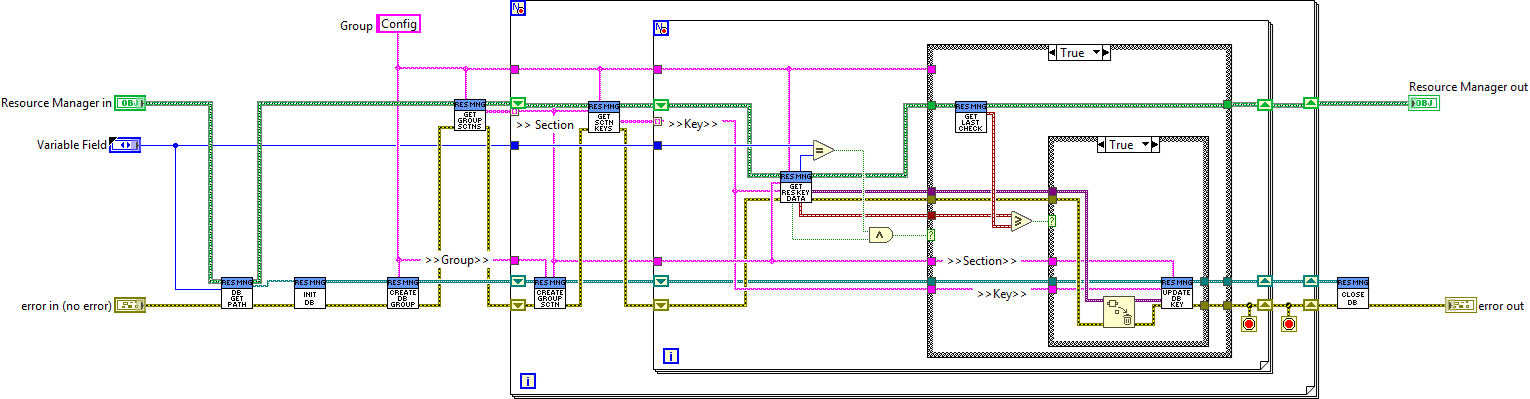
Save Module Keys to DB
Last updated on