User Interface
The User Interface class is a subclass of the Panel class. As the class name suggests, this class — and its subclasses — are responsible for organizing the program window. This interface is where the completed modules will be loaded.
Main Functions
User Interface-type classes work with subpanels located in the Actor Core, which must be referenced by name. The following operations can be performed on these subpanels:
Load Module SUBPANEL
Load a module into a subpanel by name
Clear Subpanel SUBPANEL
Clear the contents of a subpanel
Refresh Subpanel SUBPANEL
Refresh the contents of a subpanel
Module Windows
You can also open any Panel-type module in a separate window:
Open Panel in New Window WINDOW
Opens a Panel in a separate window
Window Closed WINDOW
Closes a specific window
Close All Windows WINDOW
Closes all open windows at once
Load Default Panels
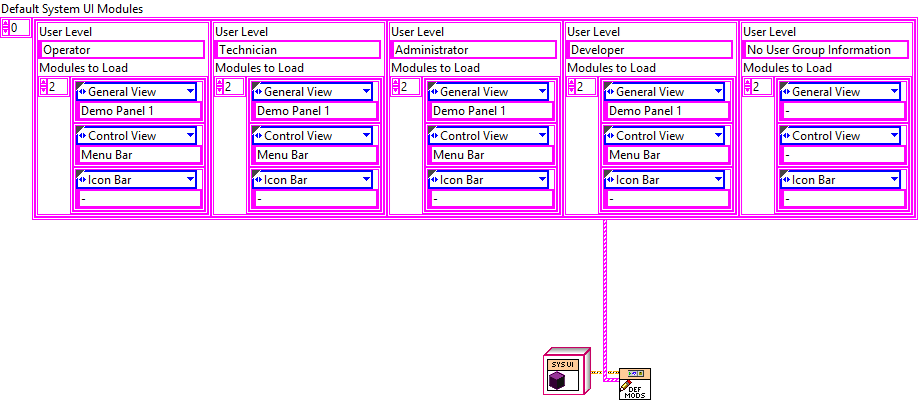
The Load Default Panels function lets you specify which modules appear by default on each subpanel for different user levels after login. This list can be configured within the Main VI.
Operator USER LEVEL
Default modules for standard end-users running tests
Technical USER LEVEL
Default modules for technicians with extended access
Administrator USER LEVEL
Default modules for administrators managing the system
Developer USER LEVEL
Default modules including debug and development tools
Interlock Messages
The User Interface class has a module table variable called Interlock Messages, which stores messages defined by individual modules. A unique key is generated for each message, and the variable stores a map of these message–key pairs.
Set Shutdown Interlock REGISTER
Adds a message to the Interlock Messages map. Returns a unique key for later removal
Reset Shutdown Interlock REMOVE
Removes a previously recorded message using its unique key
The primary use of this function is to prevent the program from shutting down, implemented in the System User Interface class via Create Closing PopUp.vi.
Module Interlock Feature
Module Interlock is a feature recommended for modules that, while running, may reach a state where the developer wants to prevent the user from closing the framework. The System User Interface Module is responsible for storing interlock messages and managing the process.
Configuring Interlock
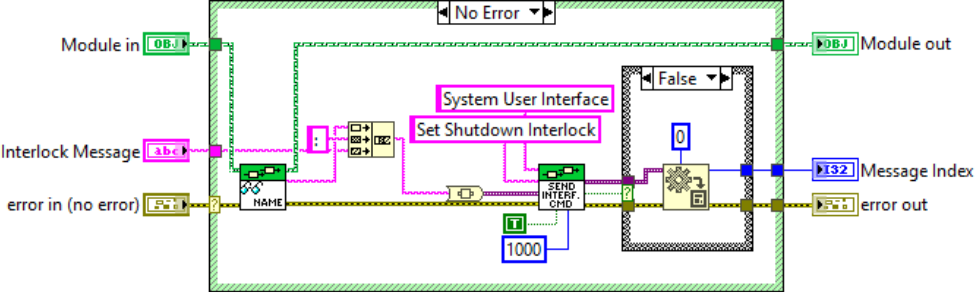
To configure interlock for a specific module, call the Set Module Interlock.vi. The function’s input is the message to be displayed;
the
System User Interface
assigns a uniquely generated identifier
(Message Index) to each received message and returns it to the calling
module. Message-ID pairs are stored within the System User Interface
using a Map data structure.
Deleting Interlocks
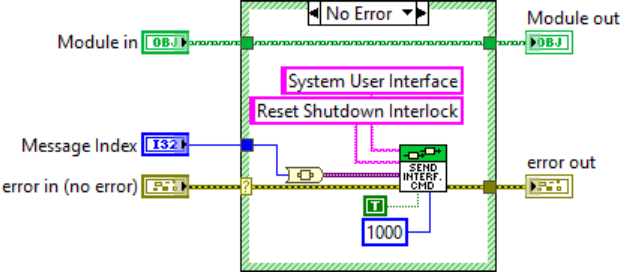
Individual interlock messages can be deleted using the Reset Module Interlock.vi. The function’s only input is the Message Index previously
returned by the System User Interface class.
Differences Between User Levels
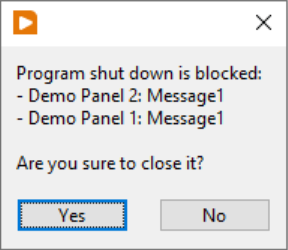
When interlocking is active, a single-button pop-up window appears for the user, preventing them from closing the framework. The pop-up window displays, at the list level, the name of the module that is preventing the framework from shutting down, as well as the corresponding interlock message.
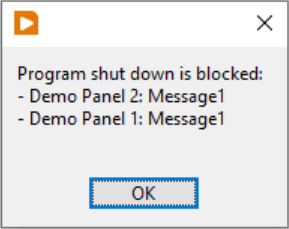
For developer-level users, the list discussed earlier also appears, with the exception that in this case, the developer has the option to close the framework.